
Remote Court Hearing: Test Access, Audio, and Backup
On this page
Quick answer
For a remote court hearing, verify the official link and time, read the judge's instructions, test your device, camera, microphone, speakers, and internet, and arrange a quiet private space. Keep the court's contact information and any approved telephone option available. If access fails, follow the notice rather than creating your own workaround.

Law Offices of David Mamann / law offices of david mamann
Beverly HillsLos Angeles CountyCalifornia
291 S La Cienega Blvd # 214, Beverly Hills, CA 90211, USA
Start with the official hearing notice
A remote hearing is a court proceeding conducted by an authorized video or telephone method. The scheduling order, hearing notice, docket entry, or judge's procedures should identify how to attend and may impose rules that differ from another court's practices.
Confirm the date, time zone, case number, platform, meeting link or telephone number, passcode, display-name format, and whether advance registration is required. Use contact details from an official court website or filed notice. Treat unexpected messages that change links or request payment as unverified until the clerk's office confirms them through an independently obtained number.
Ask counsel or the court contact early about interpreters, disability accommodations, exhibits, witnesses, public access, confidentiality, and whether telephone-only participation is allowed. Do not assume that a feature available in the software—such as chat, screen sharing, recording, or reactions—is permitted in the proceeding.

Hanlon Law Group P.C. / hanlon law group pc
Los AngelesLos Angeles CountyCalifornia
555 W 5th St 35th floor, Los Angeles, CA 90013, USA
Run a complete technology check
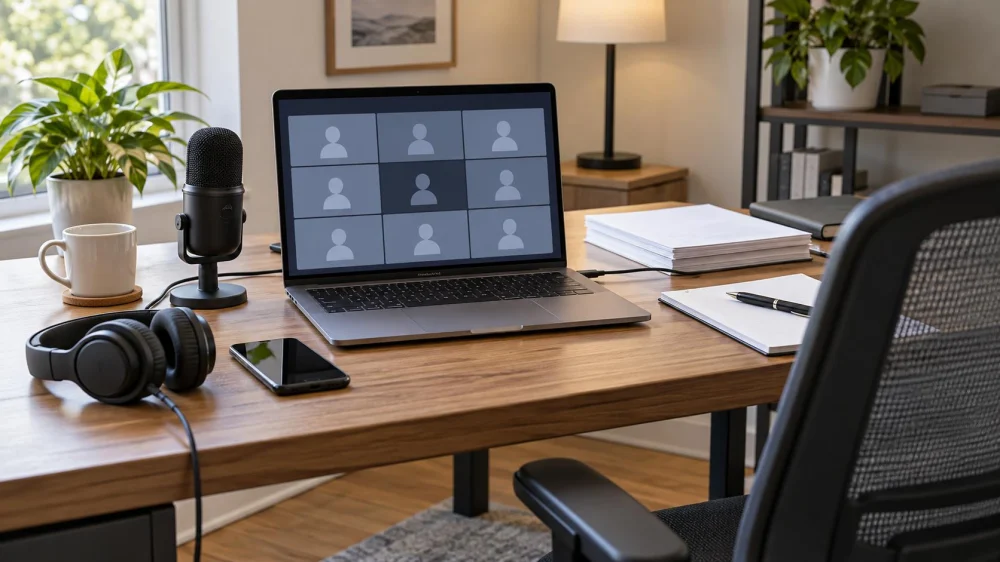
- Choose the device. Use the device and platform version permitted by the court. Connect it to power.
- Test the connection. Use a stable private connection when possible and identify a location with better signal if the first choice is weak.
- Test both directions of audio. Confirm that you can hear clearly and that the microphone captures normal speech without echo.
- Frame the camera. Place it at eye level with your face visible and a neutral background, if video is required.
- Practice mute controls. Know how to mute and unmute without searching during the hearing.
- Install updates early. Avoid a last-minute operating-system or platform update immediately before joining.
The United States District Court for the Central District of California publishes practical remote courtroom technology guidance, including advance device, camera, microphone, power, and connection checks. It is an example, not a substitute for the rules of your court.
Prepare the room and case materials
- Use a quiet, well-lit space where unauthorized people cannot overhear confidential discussions.
- Silence notifications, smart speakers, televisions, and other devices that may interrupt or expose information.
- Keep the hearing notice, case number, counsel information, and permitted exhibits organized and reachable.
- Open only the documents you are authorized to use; label files clearly without changing filed evidence.
- Tell household members or coworkers not to enter, coach, or speak during the proceeding.
- Wear appropriate attire and arrange water and necessary accessibility equipment before joining.
Never make a private recording unless the court expressly permits it. Court rules and laws governing recording, broadcasting, witnesses, and confidentiality vary. The platform's record button is not permission.
Join and participate carefully
Join at the time stated in the court's instructions, which may be earlier than the hearing start. Display the required name and wait for admission. Keep the microphone muted until called, identify yourself when speaking, and speak slowly enough for the official record and any interpreter.
Do not send private facts through a public chat box or share your screen without direction. If you must communicate confidentially with your lawyer, use the method your lawyer and the court have approved. Tell the judge promptly if you cannot hear, see a referenced exhibit, understand the interpreter, or follow the proceeding.
Use the approved failure plan
Before the hearing, write down the clerk or courtroom deputy's official contact number, the case number, and any authorized telephone access. Charge a separate phone if it is an approved backup. Ask counsel what to do if the connection drops; do not wait until the hearing is underway.
If you lose access, attempt the stated reconnection steps and notify the authorized contact promptly. Record the time and the problem for your own notes. Do not email judges directly, use a different meeting link found online, or assume that a technical problem automatically extends a deadline or excuses an absence.
Important legal and practical limits
This article offers general preparation guidance for people in the United States. It is not legal advice and cannot determine whether remote appearance is allowed, whether a request must be filed, or how a missed appearance affects a case. Court orders, local rules, judge-specific procedures, and advice from your lawyer control.
If the notice is unclear, you need an accommodation or interpreter, evidence must be presented, a witness will appear, or technology may prevent meaningful participation, contact your lawyer or the designated court office as early as possible. Court staff can explain procedure but generally cannot give legal advice.
Frequently asked questions
Can I attend a remote hearing from a car or public place?
That setting may have poor audio, unstable service, safety problems, and no privacy. Use it only if the court permits it and you can participate safely and confidentially. Ask in advance if no suitable location is available.
May I use headphones?
Headphones can reduce echo, but the court may have device rules. Test them, keep the microphone clear, and follow the hearing instructions.
What if my name is wrong in the waiting room?
Correct the display name if the platform allows and the court instructs you to do so. If you cannot, use the official court contact method rather than repeatedly leaving and rejoining.
Does a dropped connection pause the hearing?
Do not assume it does. Reconnect using the approved method and contact the designated court official or your lawyer immediately. The judge decides how the proceeding continues.
Sources and evidence notes
Federal and state courts publish court-specific remote-hearing instructions. The device and conduct checklist above is informed by official federal court guidance, but requirements vary by court, judge, case type, and participant role. Always verify current instructions on the official court website and in the filed notice.
Next steps
Today, locate the official notice, calendar the correct time zone, and identify the court contact. At least one day before the hearing, test the exact device and connection, organize allowed documents, and confirm the backup procedure. On hearing day, join as directed and follow the judge's instructions.





 Rowsey & Stelter, Attorneys at Law4.0 (11 reviews)
 Cook & James, LLC4.0 (100 reviews)
 Hobson & Hobson, P.C.3.0 (2 reviews)
 Witterman Law Group, LLC4.0 (3 reviews)
 Sean P. Collins PC4.0 (20 reviews)
 Swilling Family Law Firm, LLC4.0 (52 reviews)
 Legal Document Translation: Scope, Accuracy, and Filing
 Remote Court Hearing: Test Access, Audio, and Backup
 Court Filing Redaction: Review Identifiers Before Submission
 Law Firm Payment Change: Verify Before Sending Money
 Lawyer Client Portal: Verify Access Before Sharing Files
 Law Office Accessibility: Plan Communication and Entry