
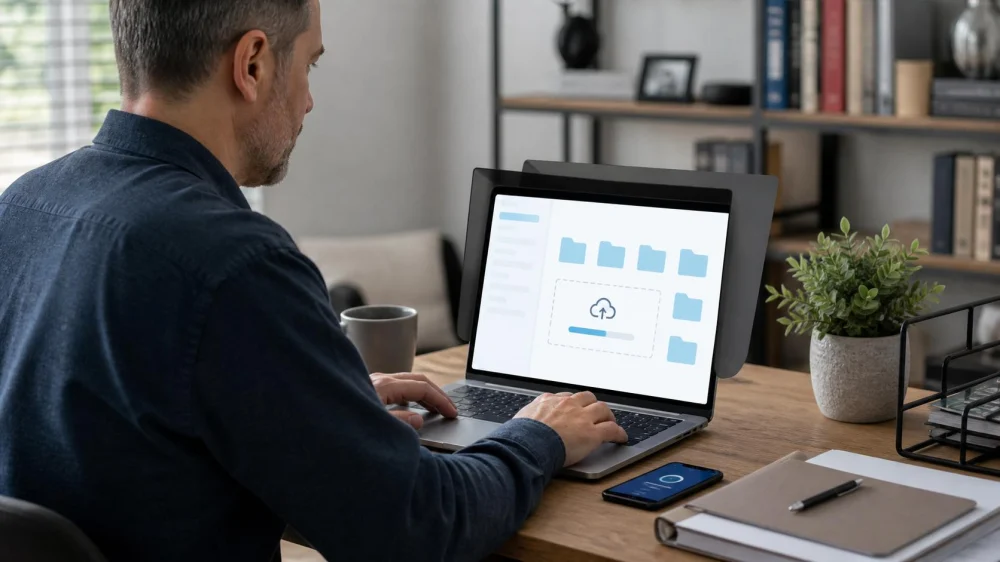
Law Firm Client Portal: Upload and Preserve Files Safely
On this page
Quick answer
Before uploading legal files, confirm the portal address through a known law-firm contact, use a private device and trusted connection, follow the requested file format and naming rules, and review every file for completeness. Save the upload confirmation and a matching local index. Keep original documents and unaltered source files unless your lawyer gives specific, lawful instructions.

Borna Houman Law / borna houman law
Santa MonicaLos Angeles CountyCalifornia
2530 Wilshire Blvd Third Floor, Santa Monica, CA 90403, USA
Verify the portal
A convincing upload page is not proof that it belongs to your lawyer. Open the portal from the firm's established communication or verified website rather than an unexpected message. If the address, login flow, request, or payment demand changed, call a known number before proceeding.
Ask which matters and document types belong in the portal, who can see them, how notifications work, and which channel to use for urgent questions. A portal upload may deliver a file, but it does not necessarily prove that a lawyer reviewed it or that a legal deadline was met.
Use your own account. Do not share credentials with family, coworkers, assistants, or another party unless the lawyer has approved the access arrangement. Report a lost device, suspicious login, misdirected upload, or unexpected access prompt promptly.

Law Office of Andy Miri / andy miri attorney
Los AngelesLos Angeles CountyCalifornia
900 Avila St, Los Angeles, CA 90012, USA
Prepare accurate copies
Create a private inventory before uploading. For each item, record a neutral filename, document date, source, page count, and whether the file is an original export, scan, photo, or working copy. Keep names descriptive without putting unnecessary sensitive facts in the filename.
Check that scans are upright, readable, complete, and in order. Include backs, envelopes, attachments, signature pages, and exhibits when relevant. Do not crop away margins, conceal inconvenient content, recompress source media repeatedly, or edit metadata without discussing the need with counsel.
Separate privileged lawyer communications from documents intended for another recipient. Ask before combining unrelated records into one large file or uploading passwords, identity documents, health records, financial data, intimate images, or another person's information.
Upload and confirm
Match the portal matter or folder carefully. Upload in small, organised batches if the firm permits. Compare filenames and page counts after transfer, then save the portal receipt, timestamp, confirmation message, or screenshot without exposing it publicly.
Send a concise notice identifying the batch and any time-sensitive item. Ask the firm to confirm receipt and readability when the record is critical. If an upload fails, do not keep creating confusing duplicates; record the error and contact the office through a verified channel.
Maintain a transmission log with date, file, destination, confirmation, and follow-up. This helps distinguish “prepared,” “uploaded,” “received,” and “reviewed.”
Protect access and originals
Use a strong unique password and the portal's approved multi-factor method. Lock the device, update supported software, and avoid shared, employer-managed, public, or borrowed devices for sensitive communications unless your lawyer advises an appropriate arrangement.
Keep original paper and unaltered digital sources in a secure location. A portal is not automatically your only archive. Back up your index and retained copies in a way suitable for the sensitivity of the matter. Before deleting anything, ask about preservation duties and the firm's retention process.
Portal checklist
- Portal address verified independently.
- Private device and trusted connection used.
- Correct matter and account selected.
- Files inventoried, readable, and complete.
- Originals and source metadata preserved.
- Sensitive filenames and recipients reviewed.
- Upload result and page counts checked.
- Receipt and transmission log saved.
- Critical delivery confirmed with the firm.
- Suspicious activity reported promptly.
Limitations and urgent issues
This article is general information, not legal, cybersecurity, or records-management advice. It does not determine whether an upload satisfies a filing, service, discovery, notice, or preservation duty. Requirements vary by matter, court, agency, contract, jurisdiction, and firm. For an approaching deadline or suspected compromise, contact the responsible lawyer and appropriate official or security contact immediately.
FAQ
Does uploading a file meet a court deadline?
Not necessarily. A law-firm portal may be separate from an official filing system. Confirm responsibility and completion with counsel.
Can I upload from my work computer?
That may create access or confidentiality risks. Ask your lawyer and consider who controls or monitors the device and account.
Should I rename original files?
Keep unaltered sources. If helpful, upload organised copies while preserving the originals and a mapping in your index.
What if I uploaded to the wrong matter?
Contact the firm immediately through a verified channel. Do not assume deleting your visible copy removes every transmitted copy.
Evidence notes
The American Bar Association's Model Rule 1.6 addresses preventing unauthorised access or disclosure of client information. Formal Opinion 11-459 discusses risks when client communications use devices or accounts accessible to third parties. Applicable state rules and facts control.
Next steps
Verify the portal from a known firm contact, create a simple file index, and upload one checked batch from a private device. Save the receipt and ask for confirmation if any document or date is critical.





 Elaydi Law, LLC5.0 (1 reviews)
 Sellers & Sellers PLLC Attorneys at Law2.0 (10 reviews)
 West Coast Trial Lawyers3.0 (3 reviews)
 The Law Offices of Eugene K. Hollander3.0 (9 reviews)
 Law Office Of Jimmy Nguyen APC5.0 (7 reviews)
 Ayo and Iken5.0 (1 reviews)
 How to Legally Change Your Name - A Complete Guide
 A Step-by-Step Guide to Writing a Will: Ensure Your Wishes Are Honored
 How to Legally Manage Your Digital Legacy After You Die
 What to Do If You Are Injured in a Car Accident | Legal Help at CGS Law Hub
 Attorney Conflict Check: Why a Firm Asks for Names First
 What to Know Legally About Transfer of Title After Buying a Car with a Loan