
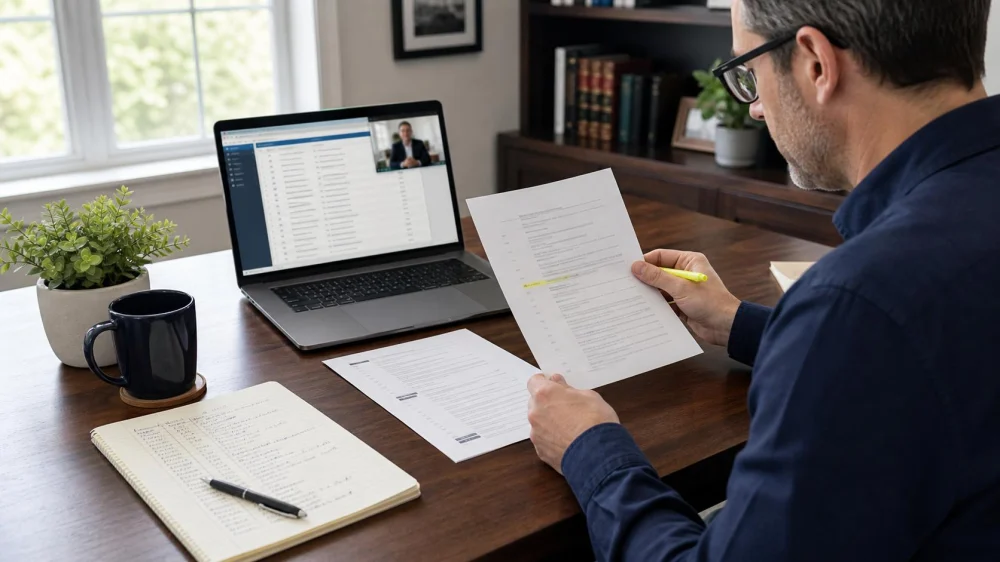
Court Docket Basics: Track Orders and Filings Carefully
Table of contents
Quick answer
A court docket is the official chronological list of case filings, orders, hearings, and other recorded events, but an entry title is not a substitute for reading the document. Confirm the court, case number, parties, entry number, filing date, and attached order through the official system or clerk. Save copies and tell your lawyer promptly. Do not calculate a response deadline from a docket title alone or assume online access replaces formal service.

Sirmabekian Law Firm / sirmabekian law firm
BurbankLos Angeles CountyCalifornia
2600 W Olive Ave #549, Burbank, CA 91505, USA
What a docket shows
A docket sheet usually identifies the case, court, parties, lawyers of record, judge, and numbered entries for filed documents and proceedings. Entries may include complaints, answers, motions, notices, minute entries, orders, judgments, and appeals. Terminology and availability differ by court. A docket can show that an event occurred, but the linked document and applicable rules determine what it says and what action may be required.

Hanlon Law Group P.C. / hanlon law group pc
Los AngelesLos Angeles CountyCalifornia
555 W 5th St 35th floor, Los Angeles, CA 90013, USA
Find the official court record
For federal appellate, district, and bankruptcy cases, PACER provides public electronic access, while the PACER Case Locator can help identify the court when it is unknown. Federal clerk’s offices also provide access options. State and local courts use separate official portals and clerk procedures. Start from the court’s verified government website, not a scraped docket site, search-engine snippet, email link, or paid aggregator.
How to read a docket entry
- Confirm court name, division, full case number, and case caption.
- Record entry number, filed date, filer, event description, and document link.
- Open the actual order or filing and check every page and attachment.
- Note whether the entry is a motion, proposed order, signed order, notice, or judgment.
- Look for corrections, amended entries, text-only orders, and later related entries.
- Preserve the download, docket receipt, and date and time you accessed it.
Monitor without missing notice
Ask counsel how official notices are delivered and who is responsible for monitoring. Some electronic-filing participants receive notices through court systems, while public viewers may use court-specific alerts or periodically check the docket. Contact details must remain current under applicable rules. Do not depend on a public reminder service, search alert, or another party. If an entry appears to require action, send the complete document to counsel immediately.
Sealed, restricted, or delayed records
Some documents are sealed, restricted to case participants, redacted, unavailable electronically, or missing a public link. Older files may be on paper or stored elsewhere. A national locator may update on a schedule rather than instantly, while a specific court’s docket can contain more current detail. Do not try to bypass access restrictions. Contact the clerk about lawful access procedures and ask counsel how a nonpublic filing affects the case.
Docket review checklist
Capture the official court URL, case number and caption, court and judge, current counsel, latest docket number, filing and entry dates, document title, attached pages, service or notice information, hearing dates, fee receipt, access timestamp, and questions for counsel. Keep a change log and compare it with prior saved dockets. Mark uncertainty rather than entering a guessed deadline into the calendar.
Limits and legal boundaries
This general U.S. information is not legal advice and does not interpret an order, calculate time, establish service, or replace counsel. Federal, state, tribal, administrative, and local systems differ, and records can change or be corrected. Public access may involve fees and privacy rules. Do not republish sensitive personal data, rely on unofficial copies, ignore formal notices, or let docket research delay a filing. Ask the clerk about access and a lawyer about legal effect.
Evidence notes
The U.S. Courts explains that a federal case file contains a docket sheet and filed documents and directs the public to PACER or the clerk’s office for federal records. PACER provides federal appellate, district, and bankruptcy case information; its national Case Locator helps identify the court and is updated on a scheduled basis. Court guidance also notes that some documents may not be publicly available online. The live court record is stronger evidence than a third-party summary.
Frequently asked questions
Does a docket entry prove I was served?
Not necessarily. Service and notice depend on the document, rules, method, and facts. Ask counsel.
Is PACER used for state court cases?
No. PACER covers federal courts. State and local courts have their own systems.
Why is there no link to a document?
It may be restricted, sealed, paper-only, unavailable electronically, or obtainable from the clerk under court procedures.
Can I rely on the entry description?
No. Read the actual document and attachments; descriptions may be abbreviated.
Do PACER fees stay the same?
Fee schedules and policies can change. Check the current official PACER information before searching or downloading.
Next steps
Locate the verified court system, confirm the case identifiers, review the newest entries and full documents, save dated copies, and send important changes to counsel. Ask the clerk about access questions and your lawyer about deadlines, service, and legal effect. Maintain a review log, but do not treat self-monitoring as a substitute for official notice or legal representation.





 Naim Law Firm, PLLC4.0 (18 reviews)
 Acorn Law4.0 (50 reviews)
 Dolci & Weiland4.0 (59 reviews)
 Paul, Flandreau & Berger, LLP0.0 (0 reviews)
 The Gerber Firm0.0 (0 reviews)
 Jules Halpern Associates LLC0.0 (0 reviews)
 Legal Guide on Tracking and Using Health Data from Wearables
 Your Rights During a Police Stop in 2024: A Comprehensive Guide
 Legal Guide to AI Music Rights in the U.S. Explained Simply
 What to Know Legally About Non-Compete Agreements in Your Employment Contract
 How to Set Up an LLC in the U.S.: Legal Requirements and Common Pitfalls
 What to Know About Emerging AI Laws and How They Affect Your Business